Gallery
See what others have created
hatefulskirmish
@hatefulskirmish
Listening to Audio
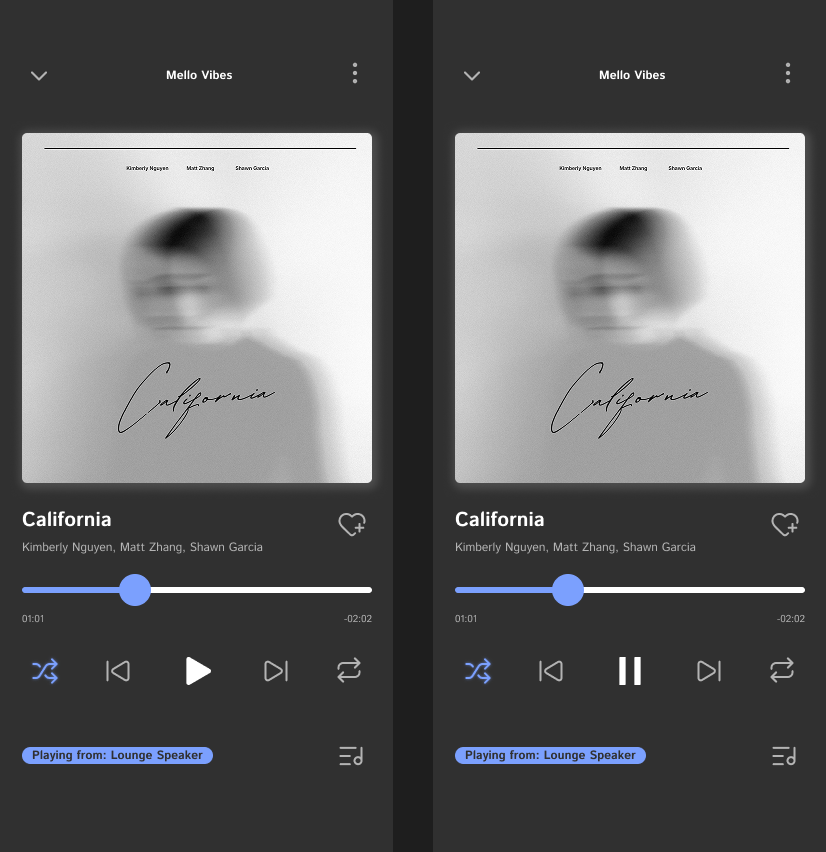
Design the listening flow for an audio product: the player, the queue, and the states around playback. This should feel like a real interface someone could use to start a track, control it, and recover when playback stalls.
Show the default player with clear hierarchy: track title, source or artist, elapsed time, total duration, and the main transport controls. Include play/pause, skip forward/back, scrubber, volume, and mute. The current state should be readable before the user touches anything.
Add the supporting states that make the flow usable: loading, buffering, paused, active playback, and error. If playback fails or stalls, keep the user’s context visible and show the next action instead of dumping them out of the flow.
If the product includes a queue or playlist, show how the current item is marked and how users move between tracks. Keep the interface compact enough for use while listening, with controls that stay legible and reachable throughout the session.
What to deliver
- Design the audio player’s default state with play, pause, skip, and scrub controls.
- Show track metadata: title, source, duration, and current playback time.
- Include volume control and a clear mute state.
- Design loading, buffering, and playback error states.
- Add a queue or playlist view with the current item highlighted.
Visualize the audio interaction as a conversation between the user and the app. Your design should 'speak' to the user, guiding them smoothly through the process of finding and enjoying their favorite tunes.