Gallery
See what others have created
hatefulskirmish
@hatefulskirmish
Quiz
Design a quiz flow as a set of screens, not a single page. Start with a launch state that explains what the quiz is, how long it takes, and what the user gets at the end. Keep the primary action obvious and the supporting copy short.
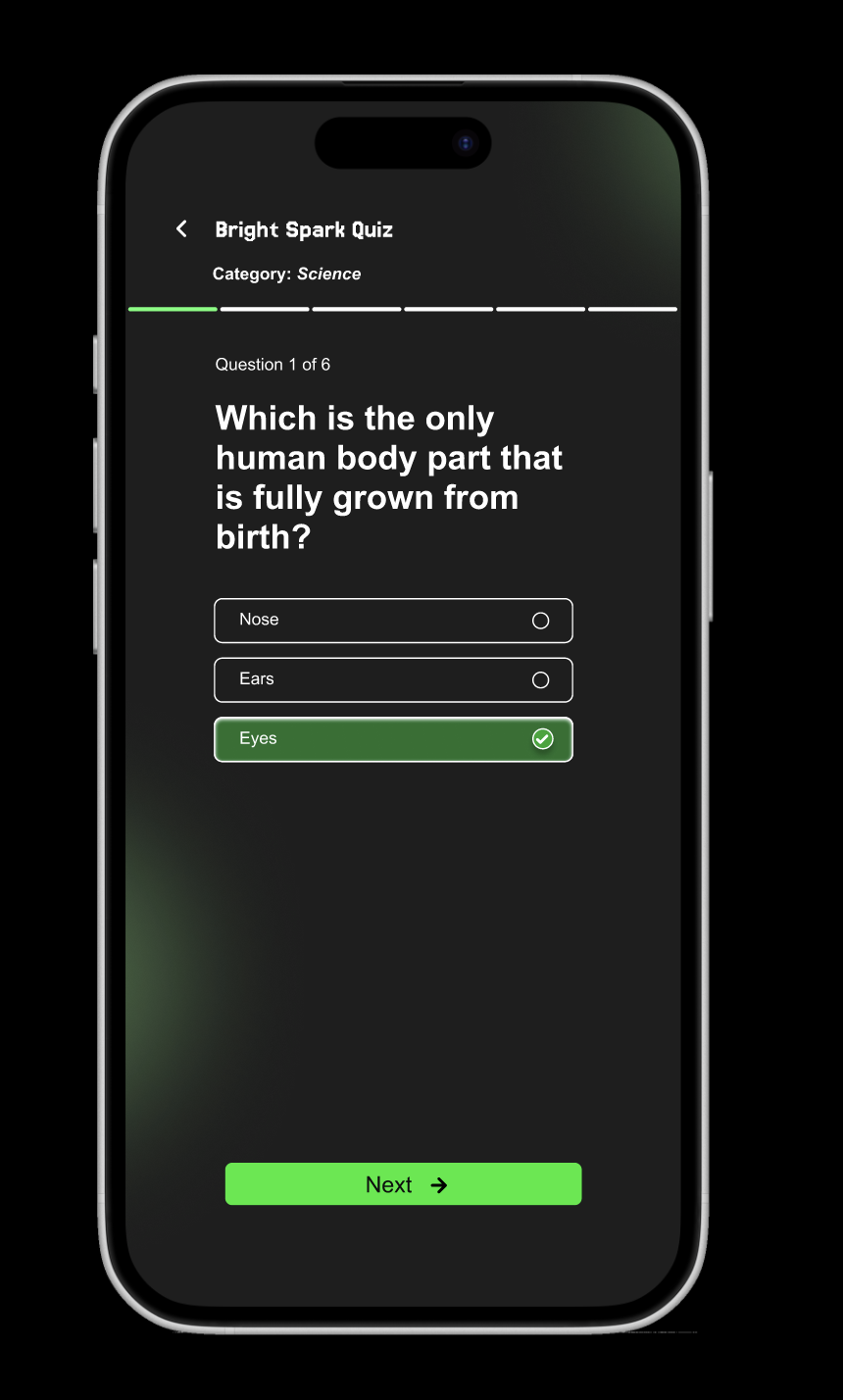
The question screen should center one prompt, with answer choices that are easy to compare and tap. Show progress as question number plus total, and make it visible without competing with the question. Include controls for moving forward, going back, and submitting an answer when needed.
After submission, show immediate feedback in place. Make the selected answer state clear, show whether it was correct, and reveal the next step without making the user hunt for it. If the quiz is timed or scored, surface that status in the same hierarchy as progress.
Finish with a results screen that summarizes score, completion, and a short recap of performance. Include a clear path to retry, review answers, or continue to the next activity. The flow should feel fast, readable, and easy to finish on mobile or desktop.
What to deliver
- Design the quiz start screen with title, short intro, and primary start action
- Design the question screen with one question, answer choices, and clear submit/next controls
- Design the progress treatment showing question count and completion state
- Design answer feedback states for correct, incorrect, and locked submissions
- Design the results screen with score, recap, and one next step
Incorporate visual cues such as icons or animations to make the quiz experience more interactive and enjoyable.