Gallery
See what others have created
strippedrouting
@strippedrouting
Entering data
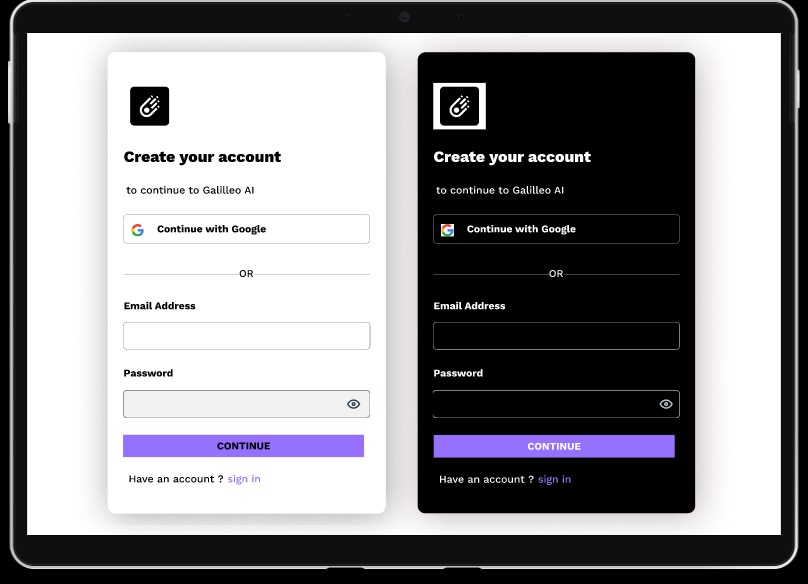
Design a data entry interface for a simple task like creating a profile, adding a record, or capturing a request. The screen should make the field sequence obvious from top to bottom, with clear labels, sensible defaults, and a single primary action at the end of the form.
Treat each field as a decision point. Use helper text only where the input might be ambiguous, and place validation right beside the field so users can fix issues without hunting. Keep errors specific and preserve everything the user already typed.
Show the form in a few states: empty, focused, invalid, and submitted. Make the active field easy to spot, keep spacing tight enough to read quickly, and avoid visual noise that competes with the input itself.
Design for keyboard use and assistive tech from the start. Tab order should follow the visual order, labels should stay connected to their inputs, and any required or error state should be announced clearly without relying on color alone.
What to deliver
- Design a data entry form with a clear field order and one primary submit action.
- Include labels, helper text, and inline validation for required and complex fields.
- Show error, success, and empty states for the form.
- Make keyboard focus, tab order, and field grouping work without a mouse.
To make your data entry mockup stand out, infuse personality with unique icons or illustrations for different data types. This can make the mundane task of form-filling a bit more engaging.