Gallery
See what others have created
designeraleksa
@designeraleksa
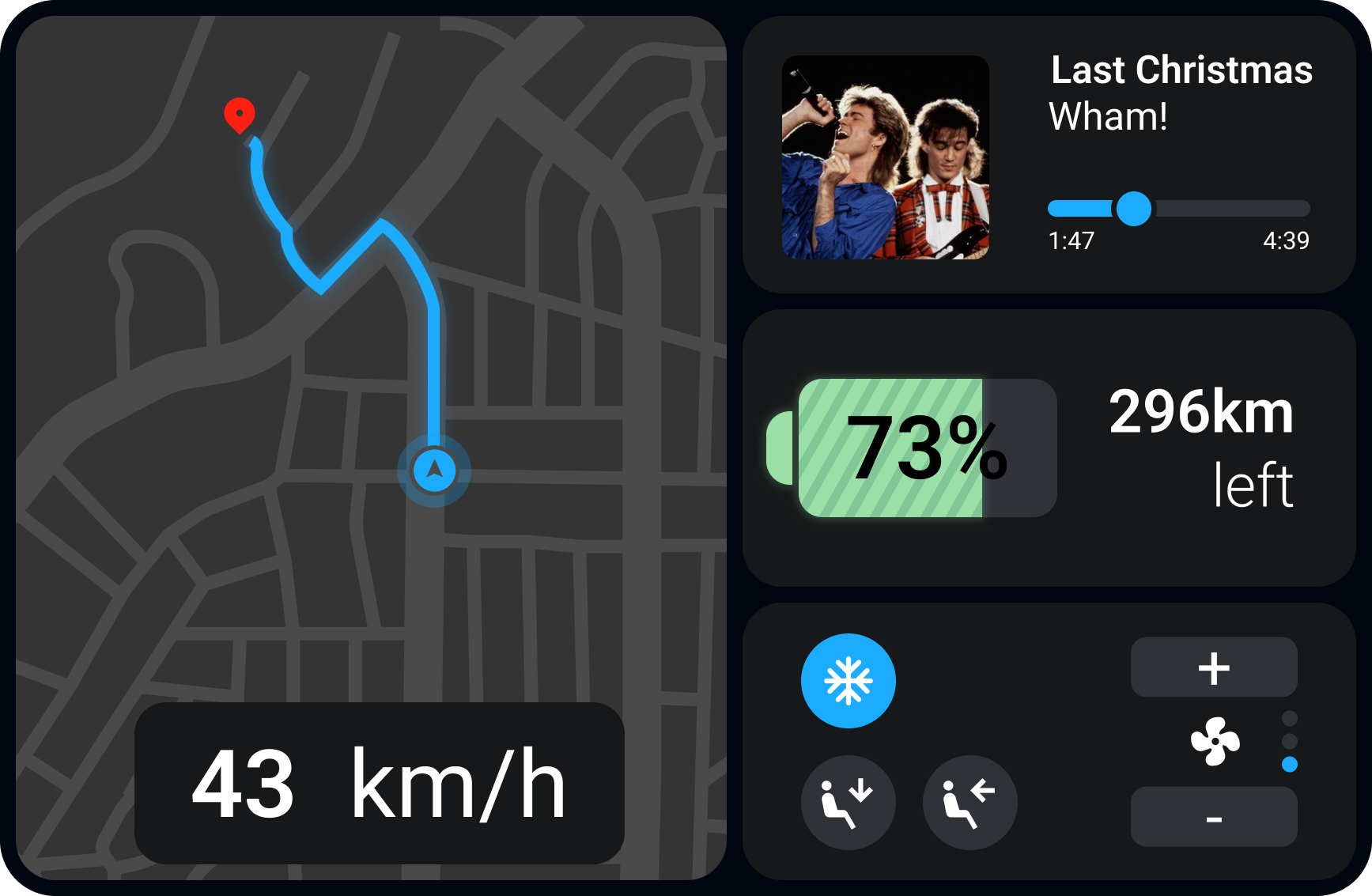
Automobile interface
Design the center display for a modern car cockpit. This is the screen a driver uses most often, so the layout should favor fast glances and short interactions over dense menus. Start with a home state that surfaces the four core tasks: navigation, media, phone, and climate.
Make the driving-critical controls easy to reach without burying them in settings. Climate should stay visible and adjustable from anywhere in the system. Navigation should show the next turn, distance, and ETA without forcing the driver to leave the current context. Media should support quick source switching, track control, and clear playback status.
Use a visual language that fits an automotive interior: high contrast, restrained motion, large touch targets, and clear spacing between controls. Include voice and steering-wheel interaction cues where they matter, plus a few key states such as an active route, incoming call, paused media, and a low-fuel or warning alert. The screen should feel calm, readable, and safe to use while the car is moving.
What to deliver
- Design the main in-car home screen with navigation, media, phone, and climate shortcuts.
- Show a persistent climate strip with temperature, fan, and defrost controls.
- Create a media player state with source selection, track info, and playback controls.
- Include a navigation state with route preview, next turn, and ETA.
- Design a settings or vehicle-controls drawer for less-used functions.
- Show touch, voice, and steering-wheel interaction states.
Incorporate tactile feedback or sound cues in your mockup to simulate a more realistic user experience for when users interact with the interface.