Gallery
See what others have created
mahfujkhan
@mahfujkhan
Smart Mirror Interface
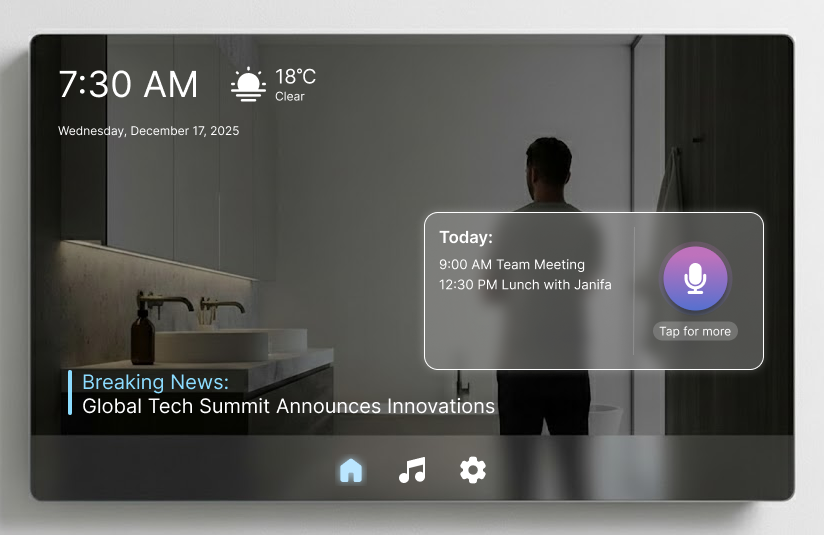
Design a smart mirror home screen for the morning routine. The mirror should surface the few things a person needs before leaving: time, weather, calendar, commute, and one or two alerts. Treat the mirror as a live surface first; the UI should sit lightly on top of the reflection, not fight it.
Build a clear hierarchy. Put the most urgent item closest to eye level, keep secondary items smaller and quieter, and place touch targets in the lower area where a standing user can reach them easily. Use high-contrast type, sparse icons, and simple motion so the screen stays readable in a bright bathroom or dim hallway.
Include voice and touch entry points for common actions like checking the next meeting, starting a timer, or skipping to a commute update. Show listening, processing, and failure states so the mirror still feels usable when voice input misses. If a card expands, it should do one job and collapse cleanly back to the home view.
What to deliver
- Design the mirror home view with time, weather, calendar, and top alerts.
- Add a quick-actions strip for voice, touch, and common morning tasks.
- Show a focused detail state for one item, such as a meeting, commute, or workout.
- Include idle, listening, and error states for voice input.
- Design a low-clutter layout that still reads over a live reflection.
For an added touch of realism, simulate the reflection of the user's environment in the interface's background.