Gallery
See what others have created
unpublishedhanging
@unpublishedhanging
Billing
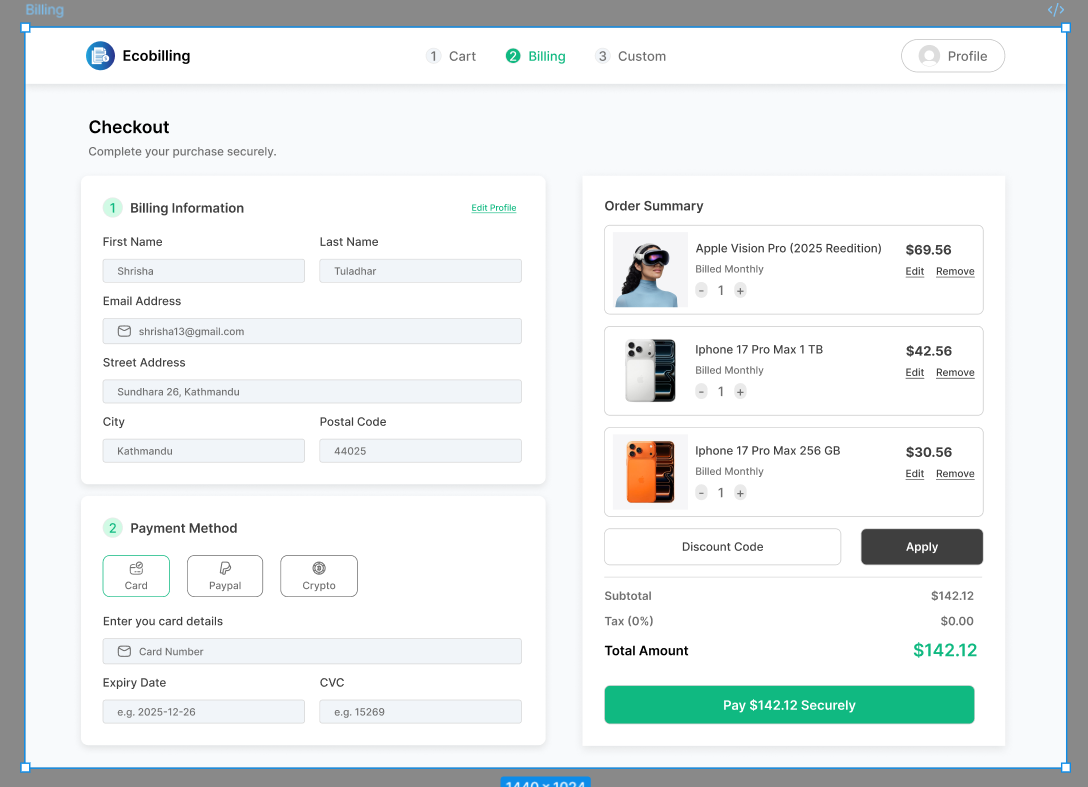
Design a billing screen for the moment a user reviews charges and pays. This can serve two cases: the last step of checkout or a standalone invoice payment page. The page should make the amount due, what it includes, and what can still change obvious at a glance.
Show a clean cost breakdown: line items, quantity, discounts, taxes, fees, and the final total. If items can be edited or removed, keep those controls close to the relevant row and show the total updating after changes. If a promo code or discount is applied, make the applied state visible and easy to undo.
Place billing details and payment method in a clear order. Users should be able to enter name, address, card details, or choose another method without losing context. The confirm/pay action should be the strongest control on the page, with a secondary path to save, go back, or pay later if that fits the flow.
Include realistic states for loading, validation errors, and payment failure. Errors should stay next to the field or step that needs attention, and the user should not lose entered information when something goes wrong.
What to deliver
- Design a billing screen with itemized charges, taxes, discounts, and total due
- Add billing details and payment method entry in a clear step order
- Include edit/remove controls for line items and applied discounts
- Show primary pay/confirm action plus a secondary save/return option
- Design empty, loading, and payment error states
Inject personality into your billing interface through branded elements like custom icons for payment methods and animated checkmarks for successful transactions.