Gallery
See what others have created
felixdesbiens
@felixdesbiens
Editing Profile
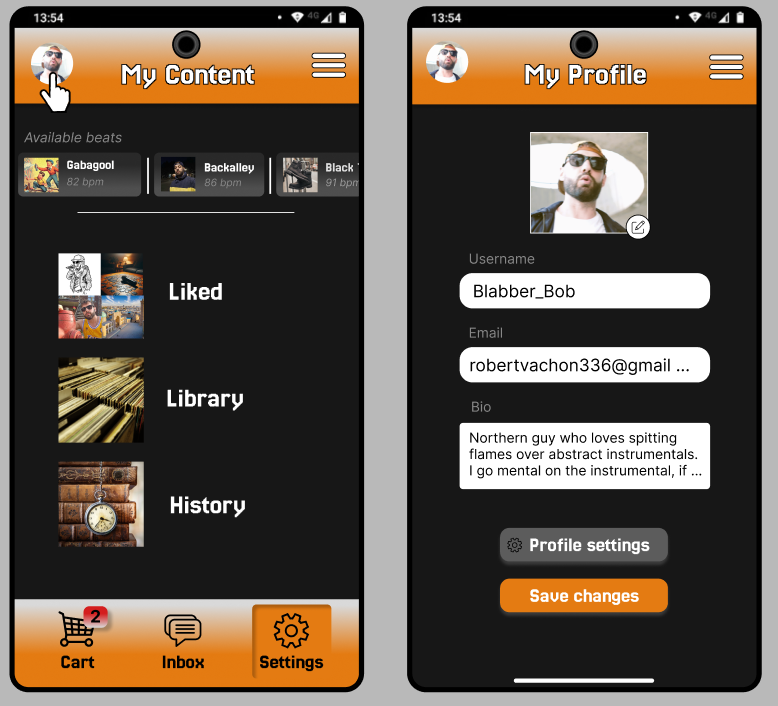
Design the profile view and the edit profile form as one flow. Start with a readable profile summary: avatar, display name, bio, and contact info, with a single clear edit action. When edit mode opens, keep the current profile values in place so the user can compare before changing anything.
The form should cover the fields that matter most: name, photo, bio, email, phone, and any public links. Group related inputs, label optional fields clearly, and show validation inline next to the field that needs attention. If a field is required or has a format rule, make that obvious before submission, not after.
Include the save, cancel, and unsaved-changes states. Saving should feel immediate and confirm what changed; canceling should return to the profile without ambiguity; leaving with edits in progress should warn the user before data is lost. The finished profile should read cleanly in view mode, so the result of the edit is obvious at a glance.
What to deliver
- Design the profile overview state with a clear edit entry point.
- Design the edit form for core fields: name, avatar, bio, and contact details.
- Design save, cancel, and discard-changes states.
- Design inline validation for missing or invalid fields.
- Design a post-save confirmation state that returns the user to the updated profile.
Incorporating micro-interactions can delight users during the profile editing process. For instance, a small animation when a user successfully saves changes adds a touch of sophistication.